
This guide explains how to install and use AutoBE and Trailing Stop by Dojournal on MetaTrader 5 to move Stop Loss to break-even and trail it as a position becomes profitable.
This EA does not open new orders. It manages existing positions on the chart symbol by adjusting Stop Loss while keeping the original Take Profit. Start testing on a Demo account before using it live.
The downloadable file on this website is autobe-and-trailingstop-by-dojournal.ex5. The name AutoTPSL by Dojournal shown in the MT5 screenshots is the EA's original file name.
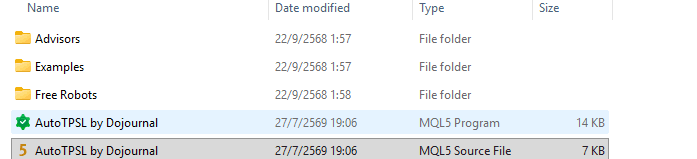
1. Install AutoBE and Trailing Stop on MetaTrader 5
- Download autobe-and-trailingstop-by-dojournal.ex5 from this article's attachment section.
- Open MT5 and choose File > Open Data Folder.
- Open MQL5 > Experts.
- Copy the .ex5 file into the Experts folder. The .mq5 source file is not required.
- Return to MT5, open Navigator, right-click Expert Advisors > Refresh, or restart MT5.
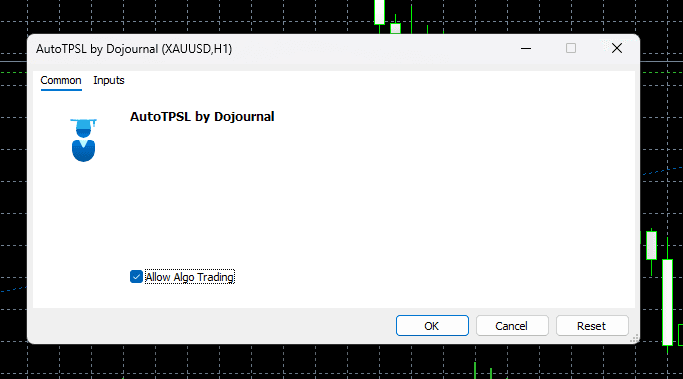
2. Attach the EA to a chart
- Open the chart symbol that the EA should manage.
- Drag AutoBE and Trailing Stop by Dojournal from Navigator > Expert Advisors onto the chart.
- Check Allow Algo Trading according to your account and broker settings, then select OK.
- Attach it to the same symbol as the positions you want to manage. Avoid attaching duplicate instances without a clear reason.
- To manage multiple symbols, attach one EA instance to a chart for each symbol.
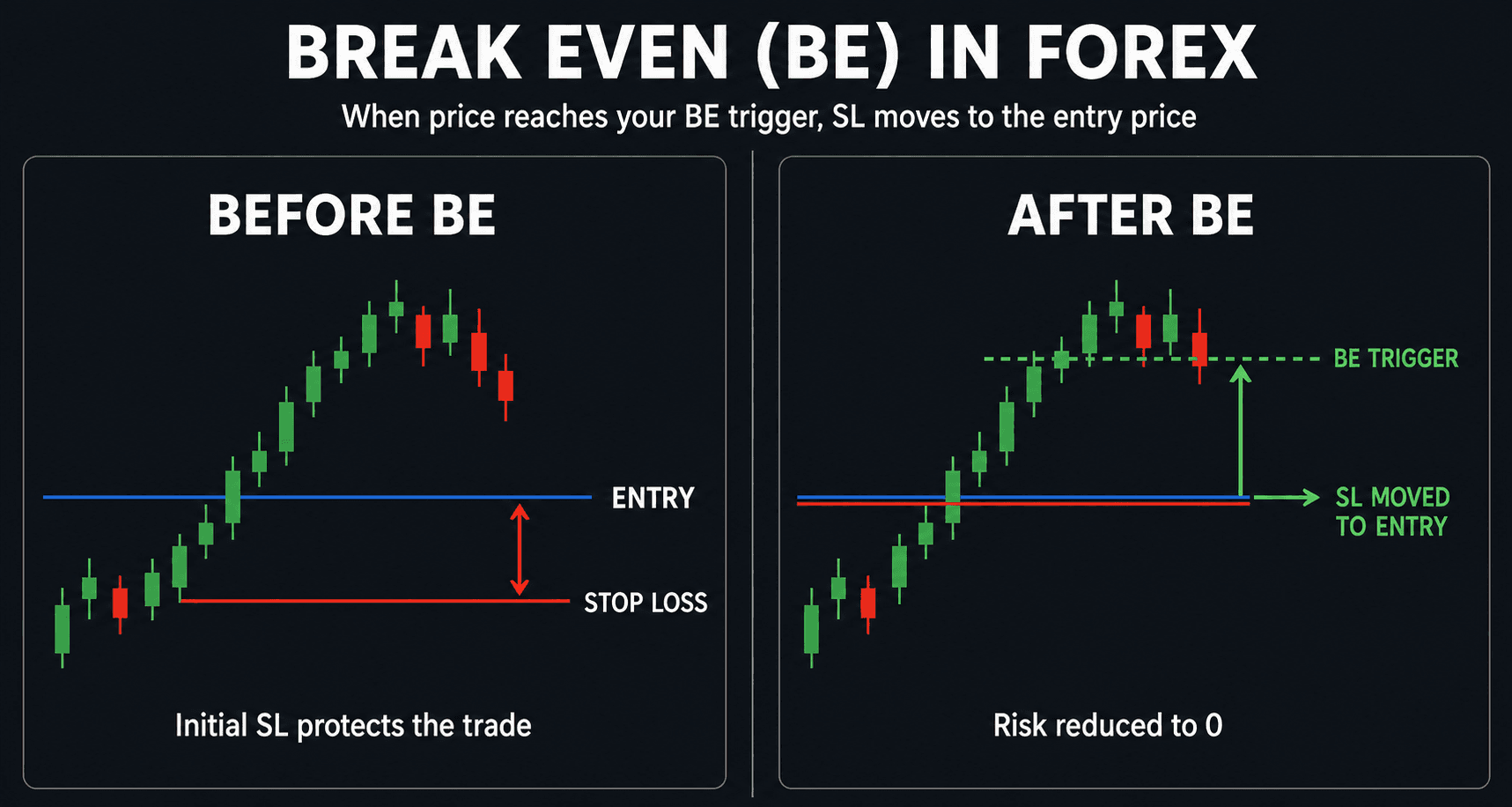
3. Understand break-even and trailing Stop Loss
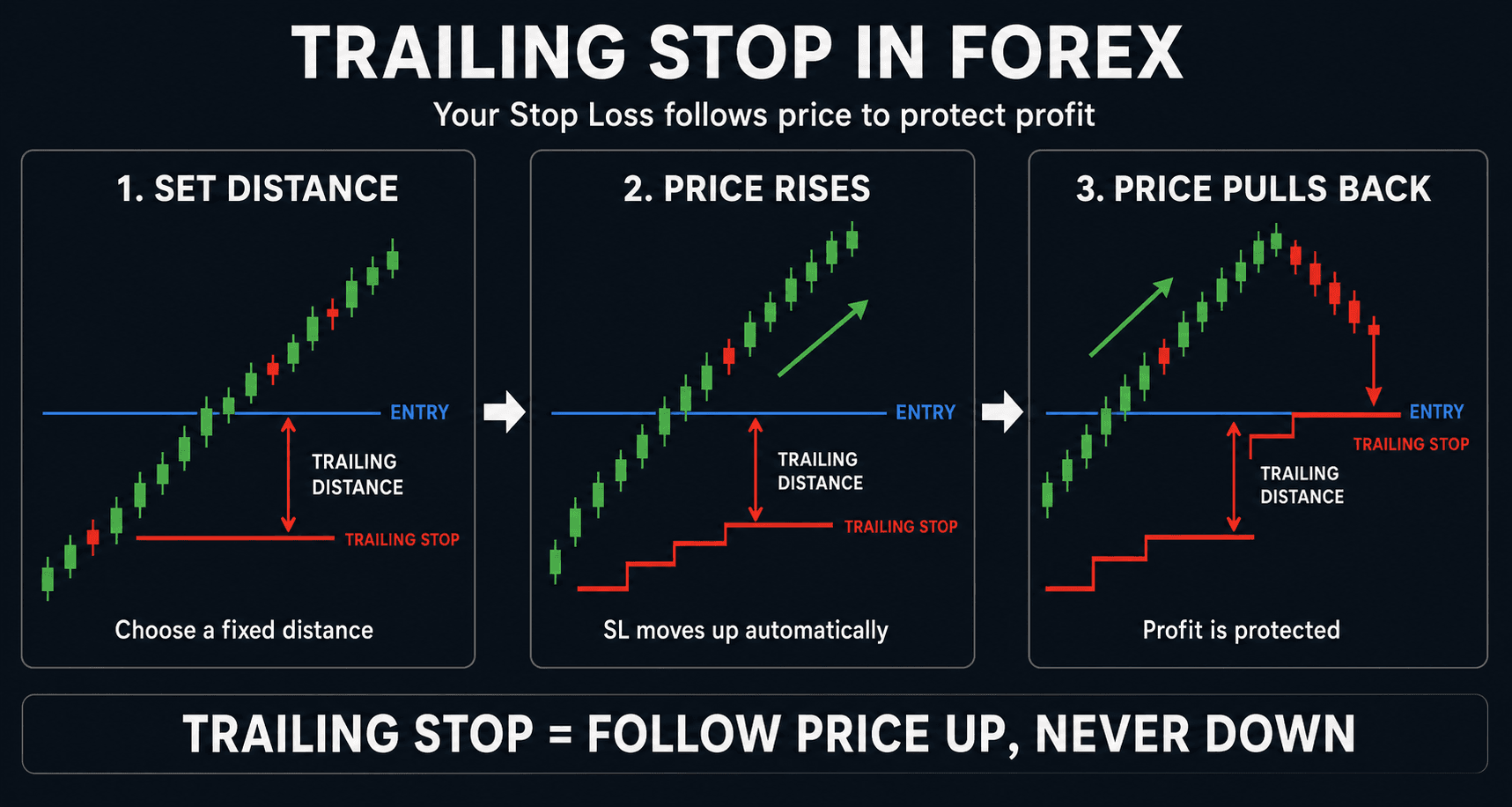
When profit reaches BreakEvenStart, the system moves Stop Loss to the order entry price and applies the BreakEvenLock distance. When profit reaches TrailingStart, it follows price while maintaining TrailingStop distance and moving in TrailingStep increments.
- Break-even: move SL close to the entry level when profit reaches BreakEvenStart.
- Trailing Stop: follow profit after price reaches TrailingStart.
- All values are in Points, not Pips. Test them with the symbol you actually use.
4. Important Inputs
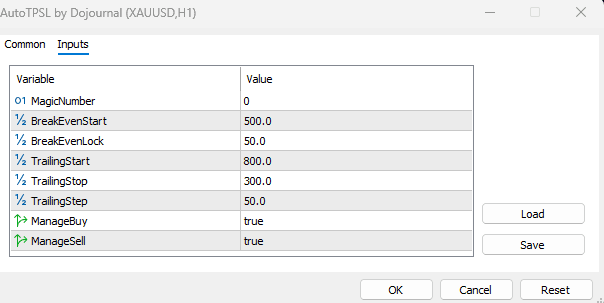
The default values are MagicNumber = 0, BreakEvenStart = 500, BreakEvenLock = 50, TrailingStart = 800, TrailingStop = 300, and TrailingStep = 50, with ManageBuy and ManageSell both enabled. Use them as a starting point and test with the actual symbol.
- MagicNumber: 0 manages every position for this chart symbol. Another value limits management to positions with the matching Magic Number.
- BreakEvenStart / BreakEvenLock: the profit level that starts break-even protection and the distance locked above or below entry.
- TrailingStart / TrailingStop / TrailingStep: the start level, trailing distance, and movement increment.
- ManageBuy and ManageSell: enable or disable management for Buy and Sell positions.
5. Practical starting guidance
- Start with the default values and test with the actual symbol because Point size and volatility differ across markets.
- Set BreakEvenStart far enough beyond short-term noise, and set BreakEvenLock with the spread in mind.
- A tight TrailingStop locks profit sooner but can be stopped out more easily. A wider value gives the position more room.
- If another EA is trading the same symbol, check MagicNumber first so this EA does not manage the wrong positions.
Important: test with the real symbol, spread, stop level, and broker conditions. Point size and market speed differ between symbols. Start with a Demo or forward test before enabling it on a live account.
6. Pre-live checklist
- Test on Demo and verify that Stop Loss moves according to the values you set.
- Check Experts/Journal, including the broker's Stop Level, Freeze Level, and spread.
- Check the symbol and MagicNumber. This EA only protects capital and trails SL; it does not guarantee profit.
7. Download the usable file
The attachment is the AutoBE and Trailing Stop by Dojournal .ex5 file for MT5 only. Source code is not distributed. Test on Demo before using it live.
Sources
The Dojournal editorial team checked the steps against the published file, the MetaTrader 5 interface, and primary platform documentation. Test the tool on a demo account and confirm broker conditions before real-money use.
Reviewed and maintained by Dojournal Editorial Team